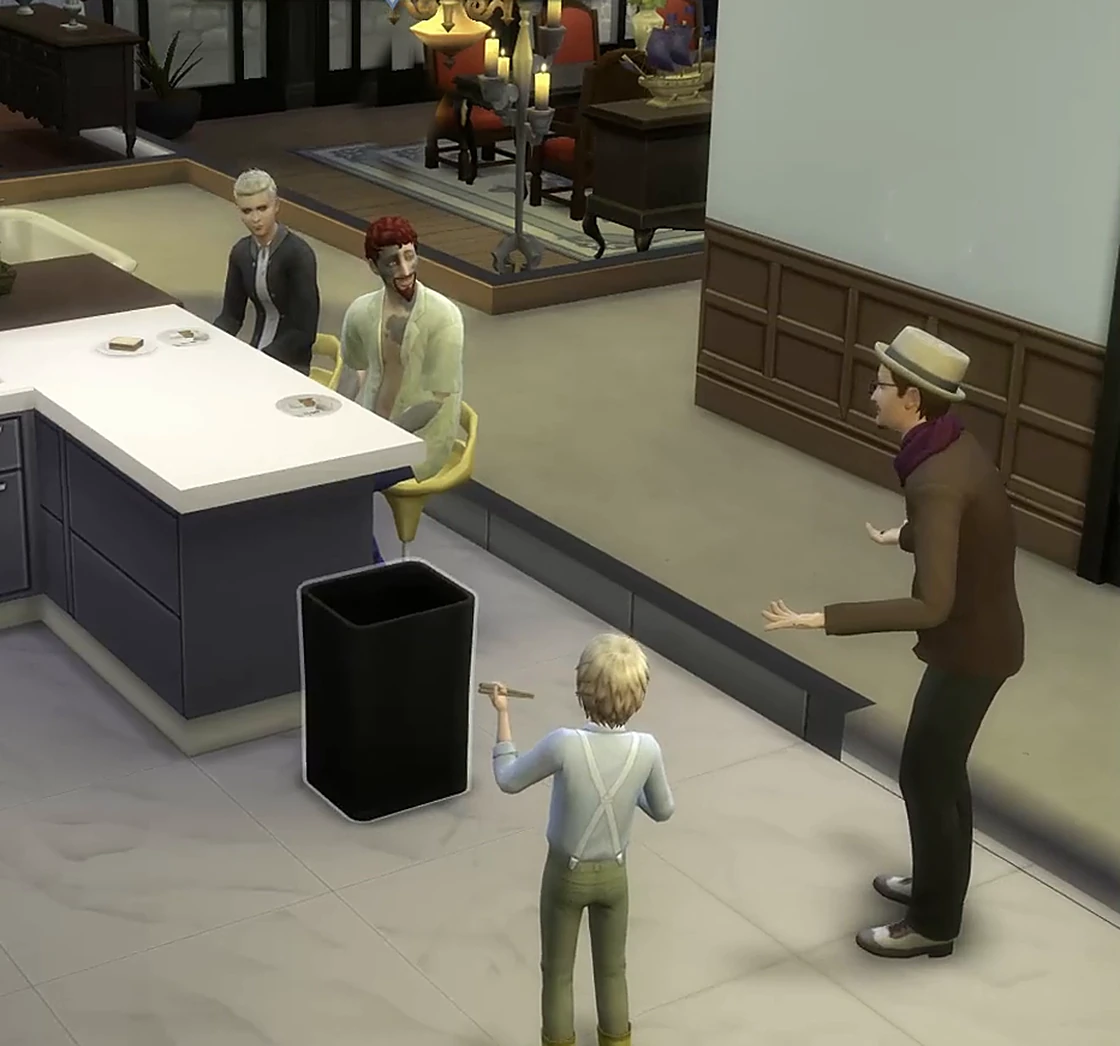
“Are you free tonight?”“I told you so.”“Don't say that.”“What's wrong?”“I missed you.”“[laughs]”“Did you really?”“Stop. Just stop.”
Your Sims Finally Speak
AI dialogue, generated fresh for every moment. Now with real voiced delivery. Pick from 95 distinct voices, shaped by traits, mood, and relationship history.
★ Now multiplayer95 voices18 languagesRemembers across sessionsNo Sims 4 Studio required
Okay, so remember when I caught you trying to cook breakfast last week and you somehow managed to burn water? That's legitimately the funniest thing I've witnessed.
Hey, in my defense, I was distracted thinking about you! But yeah, okay, that was pretty bad. At least you were laughing instead of throwing me out!
B
Romantic + Reflective · long-term couple · looking back
A
You know, when I think about where we started and where we are now, it's kind of amazing. We went from barely knowing each other to planning our whole lives together.
Yeah, I think about that too. I wasn't expecting to feel this way about anyone, but here we are. You've changed everything for me.
B
Hot-Headed + Neat · committed couple · the ongoing argument
A
Well, if you care about me so much, maybe stop being so uptight about every little thing. Your perfectionism is exhausting, honestly.
Excuse me? I've been nothing but supportive of you. If anyone's been difficult, it's your mood swings.
B
Self-Assured + In Love · committed couple · the next step
A
Look, we basically live at each other's place anyway, right? I've been thinking, what if you just moved in with me? We're already talking about forever, so why not take that step?
Yeah, I've been thinking about that too, actually. I'm not gonna lie, the idea of waking up next to you every day sounds pretty damn perfect to me.
B
No canned phrases. Every line is generated fresh from your Sims' state at that moment.
New · Multiplayer
You're Not Playing Alone Anymore
Host a room, share the code, and meet up at a venue you both load into. Your Sims and another player's hang out in the same place. You direct yours, they direct theirs, and the whole conversation happens live between real people.
One menu to get going
Open the Sims AI Chat menu → Multiplayer. Host, share a code, or browse public rooms.
🔊
Everyone in the room hears it
Speak a line to another player's Sim and it's voiced out loud, and every player in the room hears the same clip, in your Sim's own voice. Voiced multiplayer, not just text on a balloon.
Meet anywhere. Pick a shared venue and everyone loads into the same lot.Drop in. Browse public rooms and join one that's open, or keep yours private.Your room, your rules. Approve who gets in: accept, deny, or block.Play it out. Direct your Sim at theirs and watch it unfold, together.
The same AI dialogue, traits, mood, and voices you already have, now shared with the people you play with.
New · Messages
Message Friends Between Sessions
Add the players you meet in a room as contacts, then keep talking after everyone logs off. Your notes wait in their inbox and arrive the next time they play, so you can plan the next meet-up even when nobody's online together.
Right where you'd expect it
Messages live in the Sims AI Chat menu, with an unread count when someone's written to you.
🔑
Invite straight from a message
Hosting a private room? Send a contact your room code as a message and they join right from their inbox, no public listing required. The easiest way to get a friend into your game.
Your inbox. Everyone you've messaged, with unread counts.Per contact. Read your thread, send a new note, or remove them.Reply. Read what they sent and write back, anytime.
Contacts come from the people you actually meet in rooms, so your inbox stays friends-only.
More Than a Chatbot
A personality engine that knows your Sims as well as you do.
💬
In-Character Dialogue
Every line is generated from scratch using your Sims' current state. No canned phrases, no repeats.
🎭
Trait-Shaped Personality
Cheerful + Bookworm sounds nothing like Hot-Headed + Gloomy. Trait combinations shape texture, not just topic.
🌗
Mood Awareness
Mood and intensity bleed into every line. A Cheerful Sim having a bad day still finds the bright side, but they know it's a stretch.
🧠
Relationship Memory
Sims build history together. Shared milestones, old arguments, and inside jokes carry across play sessions.
🔍
Contextual Recall
Past moments surface naturally when relevant. "Remember when we met at the park?" And they actually do.
🎙️
You Steer the Conversation
Want them to flirt, pick a fight, share gossip, or just say something specific? Type the topic and your Sim delivers it in their own voice.
🔊
Voiced Performance
95 distinct voices, each rendered with emotion-driven delivery cues the AI picks per line. Hear samples below.
🌍
Speaks Your Language
Dialogue and notifications ship in 18 languages, matching whichever locale your game runs in. Voices speak the line as written, in language.
New
Hear Every Conversation
AI-generated dialogue, performed in 95 distinct voices. Same voice sounds different depending on the moment. Anger comes out clipped, intimacy whispered, surprise breathless. Not just text-to-speech: text-to-performance.
95 voices·[whispered][clipped][breathless][hushed][shouted][rushed][low]+ more
Real game clips · nothing scripted
Voice plays on player-directed chats. Background sim chatter stays text-only for now.
Confrontation · [clipped] meets [shaky]
M
Marcus Chen · Felix voice
“You knew for three weeks. Three weeks, and you said nothing.”
I
Iris Park · Hana voice
“Because I was scared. I was scared that telling you would end this, and I wasn't ready to lose you.”
Saying it out loud · [whispered] meets [breathless]
D
Diego Romero · Oliver voice
“Three years. I've held this in for three years. I love you.”
V
Vivienne Laurent · Luna voice
“You idiot. I knew. I knew the whole time. Come here.”
Auto-assigned, your call
Each sim gets a voice the first time they speak. Don't like the pick? Reroll or browse the full pool in-game from a pie-menu.
Emotion-driven delivery
Same voice, different mood, different sound. The model picks a delivery cue per line, so a flirty whisper and a furious snap come out of the same sim sounding nothing alike.
Language-aware
Voices speak in whichever language the line is generated in. Your French sims sound French; your Japanese sims sound Japanese. One voice, many languages.
Up and Running in Five Minutes
Subscribe, drop two files into your Mods folder, link your account in-game.
1
Subscribe
Join on Patreon to unlock the AI server and mod download.
2
Download
Grab the latest .zip below. You'll get a .package and a .ts4script.
3
Drop into Mods
Copy both files to Documents/Electronic Arts/The Sims 4/Mods/.
4
Launch and link
Start the game. Your browser opens to link your Patreon account, then you're done.
Type anything you want your sim to say. The other sim hears it, reacts in character, and the conversation unfolds from there. Confront them, comfort them, flirt with them, interrogate them. Watch what they do.
It starts with one click
Click any sim. Pick “Tell them something…” from the Sims AI Chat menu.
Scenario 1 · Confrontation
Casual Discussion · +Very Energized
You type the line.Liberty hears it. AI generates her response, in character.
You typed
“I read your diary. We need to talk about Brad.”
Liberty's reply
“Oh my god. You… you read my diary? Preston, that's private. That's really private.”
Scenario 2 · Interrogation
Casual Discussion · the truth about Brad
You type the line.She breaks. Tells you what actually happened.
You typed
“I'm going to give you one chance to tell me the truth about you and Brad.”
Liberty's reply
“I… okay. I mean, there's not really much to tell. He was someone I was into before I came here, and then I got over it. That's it.”
Every response is generated fresh from her traits, mood, your shared history, and exactly what you just said. No canned lines, no branching trees. Try the same prompt twice; you'll get two different replies.
Pick Your Tier
Every tier gets the AI dialogue, memory, and trait-driven personality. Higher tiers add bigger daily budgets and more voiced exchanges (Premium also gets early access to what's next).
Try free first
25 conversations on the house,
5 of them voiced, for any new sign-up.
No payment required. A free Patreon account is enough to test the mod end-to-end.
Upgrade only if you want to keep going.
Currently shipping v1.1.1. Active development; new features land regularly. Your subscription covers server costs and funds the next round of work.
Frequently Asked
The things people ask before they install. If yours isn't here, the contact form below goes straight to the dev.
What kinds of conversations does the mod generate?
Three kinds, all powered by the same AI:
Directed chat: you click any sim, pick "Tell them something…" from the Sims AI Chat pie menu, and type the line you want your sim to say. The other sim hears it and responds in character.
Player-clicked socials: the standard Sims 4 social interactions you already use ("Tell Funny Joke", "Flirt", "Discuss Career", etc.). The mod intercepts the result and generates AI dialogue based on the interaction type.
Autonomous chats: when your sims decide to socialize on their own. The mod generates dialogue for those too, so background chatter has substance instead of Simlish.
How does usage count toward my daily caps?
You have two caps and they count separately.
Conversation cap (e.g. 300/day on Premium) ticks up by one every time a dialogue is generated, whether it came from a directed chat, a player-clicked social, or an autonomous interaction. Anything that produces AI dialogue counts.
Voice cap ticks up only when a line is actually voiced. Right now that's only directed chats, so a Premium subscriber with 10 voice/day can voice 10 directed exchanges and still use the remaining 290 conversations for everything else.
Will autonomous sim chatter burn through my budget?
Realistically no. Autonomous chats fire when sims decide to socialize on their own, not constantly, and not every interaction triggers one. In practice most players see a handful per Sim-day, not dozens. Your conversation cap is sized for a normal play session including all three types.
Voice budget is unaffected by autonomous chats since those stay text-only.
Why is voice only on directed chats?
Voice is the expensive resource. By scoping it to lines you specifically typed, the budget covers the moments you actually care about: confrontations, confessions, and one-liners you set up yourself.
Player-clicked socials and autonomous chats still generate AI dialogue, just as text notifications. Voicing every social interaction would burn through any reasonable daily budget in minutes.
This is just the initial release. Voice is compute-intensive, so we're rolling it out gradually, and we plan to make it more widely available over time.
Can I turn voice off?
Yes. Click any sim, choose Sims AI Chat from the pie menu, then tap Turn voices OFF. Every directed chat now plays as text only, and your daily voice cap stops ticking. Flip it back the same way any time.
1. Click “Sims AI Chat” on the sim2. Tap “Turn voices OFF”
Do I need a paid plan to play multiplayer?
No. Multiplayer rooms are available on every tier, including the free trial, so you can host or join a room and play together at no extra cost.
Voicing your own lines in a room draws on your daily voice budget, the same way directed chats do, so heavy voiced multiplayer is where the higher tiers help. Hearing other players' voiced lines is always free.
How many players can join, and how do rooms work?
Up to four players share a room. Open Multiplayer from the Sims AI Chat menu, then host a room or join one.
Private rooms are invite-only: you get a code to share with friends. Public rooms show up in Browse, so anyone can find yours and ask to join.
What do we need to play together?
Everyone needs Sims 4 AI Chat installed, and you all need to be playing at the same time. Multiplayer is live: each of you runs your own game, connected through a shared room, and you meet at a venue you all load into.
The other players' sims appear at that venue in your game, so you can walk up to them, start interactions, and direct chats at them just like any other sim.
Can I control who joins my room?
Yes. Keep a room private and only people with your code can get in. For public rooms, every request comes to you as the host: Accept, Deny, or Block someone so they can't ask again.
Can I travel or leave during a multiplayer session?
While you're in a room your sims stay at the shared venue, so you can't travel off to another lot mid-session. When you're done, open the Multiplayer menu and tap Leave room to return to normal play.
Do my sims still chat on their own in a room?
No. Inside a room, conversations are fully player-driven: autonomous chatter and automatic AI replies are switched off, so everything that happens is something a player chose to say. The moment you leave the room, normal AI dialogue resumes.
How do contacts and messages work?
You can add a player you've met in a room as a contact. They get a request to accept, and once you're connected the two of you can message each other any time, in a room or not.
Contacts only come from people you've actually shared a room with, so nobody can cold-message you out of nowhere. Messaging is available wherever multiplayer is, including the free trial.
Do we both need to be online to message?
No. Rooms are live, but messages are not. Leave a note for a contact any time and it lands in their inbox, waiting for them the next time they play. You'll see an unread count on the Messages menu when something's waiting for you.
How do I invite a friend to my private room?
Send them your room code as a message. Private rooms don't appear in the public Browse list, so a message is the easy way in: your contact opens it and joins straight from their inbox.
What does "Remove contact" do? Does it block them?
Removing a contact simply disconnects the two of you, so you stop being contacts and your thread is no longer linked. It does not block them: if you end up in a room together again later, either of you can send a fresh contact request.
Blocking is a separate choice, offered when you respond to someone's incoming contact request, so you stay in control of who can reach you.
How does voice work in a multiplayer room?
When you direct a typed line at another player's sim in a room, your sim speaks it out loud and everyone in the room hears the same voice clip, in your sim's own voice.
Voicing a room line counts against your daily voice cap, the same way a directed chat does in single-player. Hearing other players' lines is free and never touches your cap, so only the person speaking spends voice budget.
Can I turn voice off in a multiplayer room?
Yes, and there are two separate controls depending on what you want to silence.
To stop hearing other players' voices while staying in the room, open Voice Options… from the Sims AI Chat pie menu and tap Mute room voices. This is room-only: your own single-player voice keeps working normally, and tapping Unmute room voices brings them back. It's the quick fix if the room gets noisy but you still want your own lines voiced.
To stop voicing your own lines, use the same Turn voices OFF toggle as everywhere else. Your directed lines in the room then relay as text only and stop counting against your voice cap, exactly like in single-player.
My sim's voice doesn't suit them. Can I change it?
Yes. Click the sim, open "Voice options for <name>" from the Sims AI Chat pie menu. You can Reroll to cycle to the next unused voice in the matching gender pool, or Browse voices to open a picker with the full catalog and audition any voice before assigning.
Voice customization is available on any tier that has a voice budget (Free, Basic, Premium, Premium+ Voice).
Tap any voice in the Browse picker to audition it before assigning.
What happens when I hit my daily limit?
Conversation cap: new dialogue stops generating until UTC midnight. Existing conversations stay readable; the mod just stops calling the AI until the budget resets.
Voice cap: voice silently switches off for the rest of the day. Directed chats still generate dialogue, just as text. Resets at UTC midnight.
Both reset at the same time. You'll see a one-time notification in-game when either cap is hit.
Does this work with WickedWhims and other mods?
Yes, and WickedWhims especially. WickedWhims is a first-class part of multiplayer, not just a mod we happen to tolerate. Multiplayer is designed around it: WickedWhims scenes sync between players, so when one of you starts a scene with the other's sim, you both watch it play out together in your own games.
It's built on consent. The person starting the scene picks it in WickedWhims' own menus, the other player gets a consent prompt, and nothing begins until they accept. There are no autonomous or unapproved scenes involving another player's sim, ever.
Beyond WickedWhims, the mod coexists with MCCC, Lumpinou's mods, and most others. It hooks the Sims 4 social interaction system the same way other dialogue mods do; if two mods touch the exact same interaction the standard load-order rules apply, but conflicts are rare in practice.
Do I need WickedWhims to use multiplayer?
No. Multiplayer rooms, voiced lines, and directed chat all work entirely on their own. WickedWhims is deeply supported when you have it, but it's completely optional, so you can play with it or without it.
What if the other player and I don't have the same WickedWhims animations?
It still works. During a synced scene, the person who started it drives the animation choices for both games. If they pick an animation you don't have installed, your game just keeps playing one you do have and pops a quick heads-up that you're missing it, rather than stalling or erroring. The scene carries on either way.
For the closest shared experience, both players installing the same animation packs is ideal, but it's never required.
What if I don't have the other player's custom content (clothes, hair, skins)?
The other player's sims show up in your game with their real look, and custom content behaves exactly like it does everywhere else in Sims 4: anything you don't have installed falls back to a base-game default. A sim wearing CC hair or an outfit you don't own still appears, just with the standard equivalent in place of the missing pieces. Nothing breaks, and you never have to match someone's CC list to play together.
Will it break my saves?
No. The mod doesn't modify your save file. It only generates dialogue overlays on top of normal gameplay. You can uninstall any time and the save loads cleanly without it; nothing in your sims, relationships, or world state depends on the mod being present.
How do I change or cancel my tier?
Through Patreon directly. Your tier auto-syncs from there. Upgrade, downgrade, or cancel at any time and the mod reflects the change on next launch. No separate billing or account inside the mod.
Questions or Feedback
Found a bug, hit a snag, want to suggest a feature? Send a note and you'll hear back.